Multi Color 3D Printer vs Full-Color 3D Printing Service: Which Is Better for Your Project?

A multi color 3D printer is one of the most searched topics in consumer and professional 3D printing right now. Designers want prototypes that look like the final product. Product teams want realistic models for presentations. Creators want colorful parts without hours of sanding, masking, and painting.

But the phrase “multi color 3D printer” can mean several very different things.

For a desktop user, it may mean an AMS 3D printer that switches between filament spools. For a design studio, it may mean PolyJet full-color printing. For a manufacturer, it may mean choosing a professional 3D printing service that can deliver accurate, finished, production-ready parts without buying and maintaining machines in-house.

The right choice depends on what you need: visual realism, mechanical performance, material behavior, lead time, part size, or cost control.

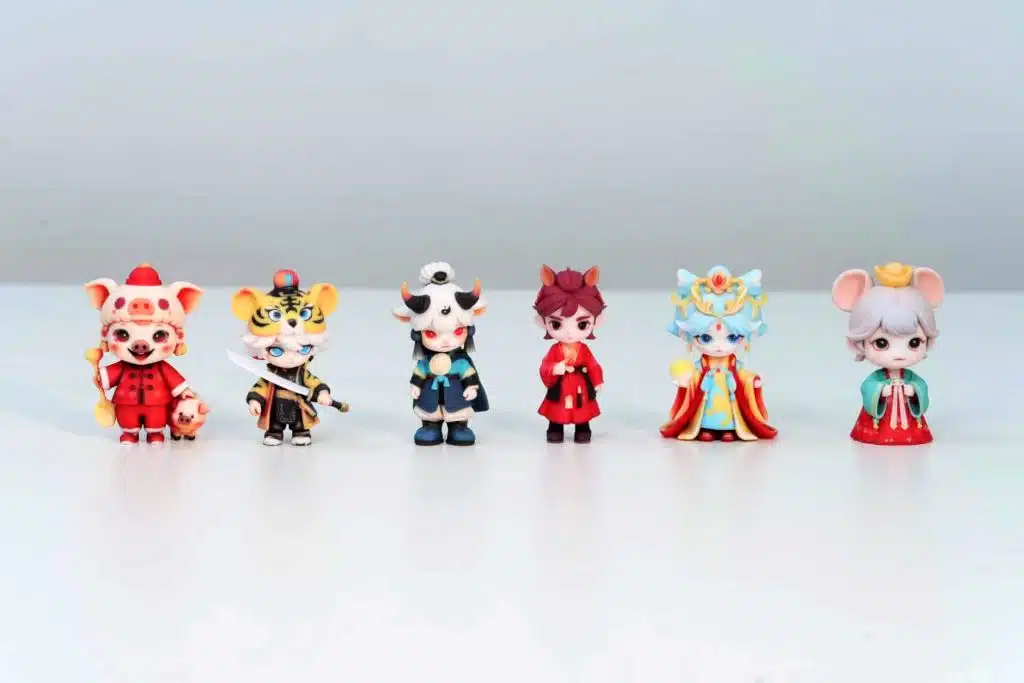
zone3Dplus polyjet

What Is a Multi Color 3D Printer?

A multi color 3D printer is a printer that can create parts with more than one color in a single build. The most common approaches are:

  • Filament switching systems, such as AMS-style setups
  • Tool changer 3D printer systems with multiple print heads
  • PolyJet 3D printing, which can jet multiple materials and colors
  • Binder jetting or color powder systems
  • Single-color printing followed by professional finishing or painting

Each method has trade-offs. Desktop filament systems are accessible and useful for simple color-separated models. Professional processes are better when the part needs fine details, smoother surfaces, precise color regions, or presentation-grade finish.

AMS 3D Printer: Good for Desktop Multi-Color Parts

An AMS 3D printer uses an automatic material system to load and switch between filament spools. This makes it popular for signage, toys, decorative objects, educational models, and prototypes where color zones are simple.

The biggest benefit is convenience. You can print with several filament colors without manually changing spools. For small teams, this can be a practical way to test ideas quickly.

However, AMS-style printing also has limits:

  • Color changes can create material waste from purging
  • Printing time can increase significantly
  • Fine gradients and photorealistic color are not usually possible
  • Support materials and engineering materials may require tuning
  • Surface quality still depends on FDM layer lines

If your project is a simple visual prototype, an AMS printer may be enough. If you need a client-ready model, accurate fine details, or production-level finishing, a professional service is usually a better path.

What About Waste Free Multicolor 3D Printing?

Waste free multicolor 3D printing is a growing topic because many filament-based multi-color workflows create purge waste. Every time the printer switches from one filament to another, it needs to clear the previous color from the nozzle. That extra material can add cost, time, and cleanup.

There are ways to reduce waste:

  • Design parts with fewer color changes
  • Group colors by layer height when possible
  • Print multiple copies in one job to share purge volume
  • Use a tool changer 3D printer instead of a single-nozzle filament switching system
  • Choose a professional process where color or material mixing is handled differently

For companies trying to control both cost and environmental impact, the most important step is to match the process to the part. A colorful logo prototype and a multi-material functional component should not be treated as the same job.

When a Professional Multi-Color 3D Printing Service Makes More Sense

Buying a multi color 3D printer can be useful if your team prints constantly and can manage calibration, materials, maintenance, failed builds, and post-processing. But for many projects, outsourcing is simpler.

A professional service like zone3Dplus is a better fit when you need:

  • A polished prototype for investor, client, or trade show presentation
  • Multi-color appearance without managing printer tuning
  • Access to PolyJet multi-color printing
  • Engineering review before production
  • Material options beyond basic PLA or PETG
  • No minimum order quantity
  • Fast RFQ and production support

zone3Dplus supports several professional 3D printing technologies, including SLA, SLS, MJF, SLM, and PolyJet. For multi-color applications, PolyJet is especially useful because it can produce detailed, realistic visual models with smooth surfaces and color variation.

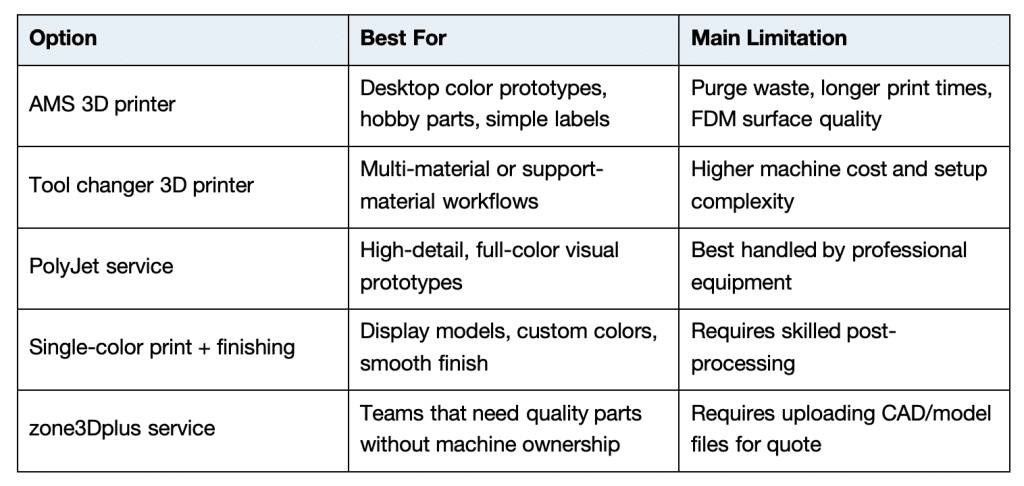
Multi Color 3D Printer vs 3D Printing Service: Quick Comparison

zone3Dplus table

Common Applications for Multi-Color 3D Printing

Multi-color printing is useful when appearance matters as much as geometry. Common applications include:

  • Product design prototypes
  • Consumer electronics mockups
  • Medical and anatomical models
  • Architectural models
  • Figurines and display models
  • Packaging prototypes
  • Marketing samples
  • Trade show demo parts
  • Educational models

For commercial work, the question is not only “Can this be printed in color?” The better question is “Which process gives the right look, strength, surface, and cost for this use case?”

How to Prepare a File for Multi-Color 3D Printing

Before requesting a quote, prepare your model carefully:

  1. Separate color regions clearly in the model.
  2. Export clean geometry, usually STL, STEP, or 3MF depending on the workflow.
  3. Define color expectations with reference images if needed.
  4. Confirm whether the part is only visual or also functional.
  5. Share any surface finish, tolerance, or assembly requirements.

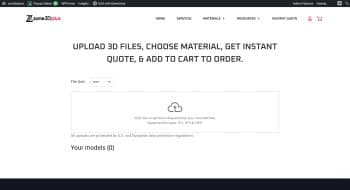
With zone3Dplus, you can upload a design file for DFM analysis and quotation. This helps identify potential issues before production, such as thin walls, unsupported details, tolerance risks, or process mismatches.

Final Recommendation

If you need simple color-separated desktop parts, an AMS 3D printer can be useful. If you need cleaner surfaces, better realism, more material choices, or a production-ready result, a professional service is usually faster and less risky.

For designers, engineers, and product teams, the strongest workflow is often hybrid: use desktop printing for early exploration, then use a service like zone3Dplus for the polished prototype or end-use part.

Scroll to Top